


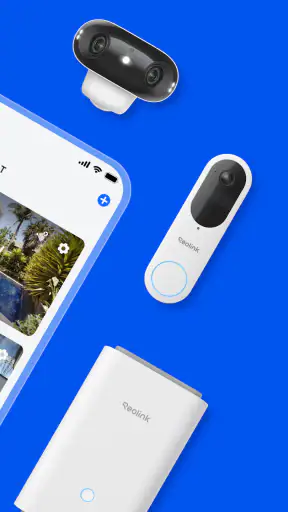
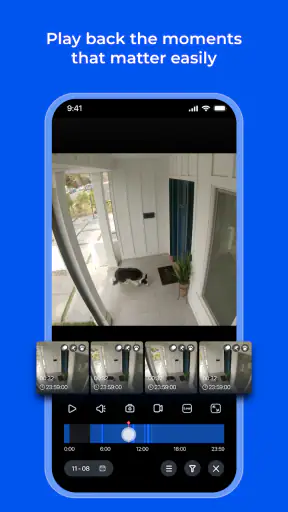
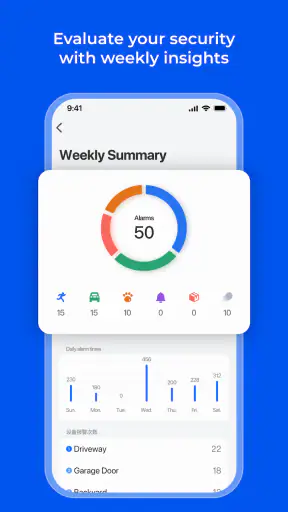
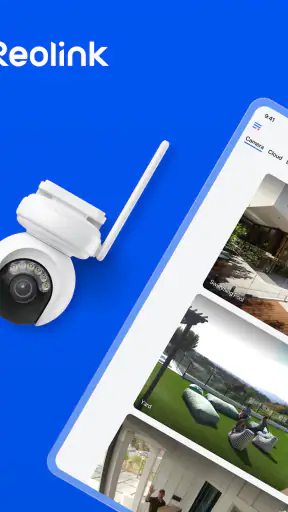
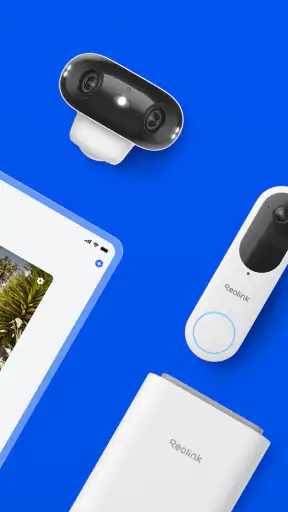
Watching a camera feed from a phone sounds simple, but the experience changes quickly when you are checking a dark doorway, trying to follow movement on a small screen, or sharing monitoring duties with someone who is not comfortable with complicated controls. I spent time with Reolink as a communication app for remote security-camera access, and my impression is that it is most useful when you already use Reolink cameras, NVRs, or DVRs and want a practical way to reach them away from home.
The app is free, made by Reolink Innovation Limited, and available for users whose Android device runs version 8.0 or later. Its age rating is Everyone, which fits the straightforward purpose: viewing and managing security equipment rather than chatting or publishing social content. It has passed the five-million-install mark and holds an average rating of 3.5 from roughly forty-one thousand ratings, so it is clearly established without being universally loved.
That mixed impression makes sense to me. The basic idea is easy to understand, but remote camera software depends on more than the app itself. Camera placement, network quality, the model of recorder, notification habits, and the user's eyesight or dexterity all affect whether the experience feels calm or frustrating. My review therefore focuses not only on what appears on screen, but also on how comfortably different people can use it in ordinary situations.
How the interface handles readability and navigation
The first useful quality is that the app has a clear purpose. It is not trying to combine cameras with a social feed, messaging service, shopping section, or unrelated dashboard. When I open it to check a property, the task remains centered on reaching a camera or recorder and viewing what is happening. That focus is valuable for someone who needs a quick answer rather than a long sequence of menus.
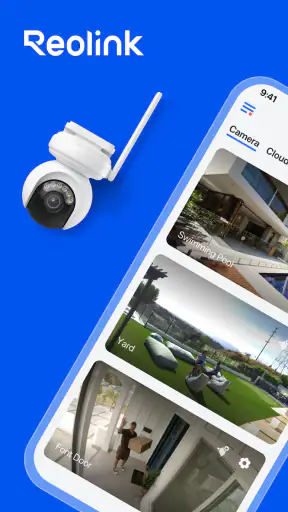
For a new user, the important mental model is simple: the app is a remote window into compatible Reolink equipment. It does not replace the camera or recorder, and it cannot improve a poor installation by itself. Once that distinction is understood, the interface becomes easier to judge. A person checking a front entrance wants to identify the correct device quickly, while someone overseeing several areas needs a layout that does not turn every camera into a tiny, confusing tile.
I found that readability depends heavily on the live image itself. A bright, well-positioned camera can make the app feel effortless. A feed with glare, shadows, compression, or a distant subject demands more attention, regardless of how tidy the controls are. This is an important accessibility point: larger text or clearer buttons cannot compensate for a camera aimed at the wrong angle. Before blaming the application, I would adjust the physical camera, lighting, and viewing position.
The app is better suited to people who can already identify their cameras by location or purpose. Naming devices sensibly is a small but meaningful part of the setup. Labels such as “front door,” “side gate,” or “garage” are easier to recognize than default model names, especially when a family member is helping remotely. This also reduces the need to remember which thumbnail belongs to which area.
For users with reduced vision, I would recommend testing the real feeds rather than judging the app from its setup screens alone. The key question is whether the person can distinguish the camera list, find the desired view, and interpret the live picture without excessive zooming. A phone's own display-size and magnification settings may help, but they can also make a layout feel crowded. Increasing everything is not always the best solution; a larger phone or tablet can be more practical for monitoring.
There is also a trade-off between seeing several cameras at once and seeing one camera clearly. A multi-camera view is useful for a quick sweep, but individual images become smaller and harder to interpret. Someone with limited visual acuity may be better served by opening one feed at a time and using a device held at a comfortable distance. In my experience, this is more dependable than trying to monitor every view simultaneously.
Making routine checks easier for more people
A good everyday workflow starts before an incident occurs. I would open the app when everything is calm, confirm that the important cameras are reachable, and decide which views matter most. That simple rehearsal helps a person who is anxious under pressure, has memory difficulties, or is assisting from another location. It also reveals whether the camera names and screen layout make sense to someone other than the main installer.
One non-obvious advantage of this approach is that it separates “Can I connect?” from “Can I understand what I am seeing?” A live feed may load successfully while still being too dark, too distant, or pointed at an unhelpful area. Checking both parts in advance prevents false confidence. I would ask another household member to locate a specific camera without verbal guidance; if they cannot, the labeling or arrangement needs attention.
People who are uncomfortable with small touch targets should avoid making the phone the only way to monitor the property. A tablet can provide more room for camera thumbnails and controls, while keeping the same basic remote-viewing purpose. The app is free, but the overall setup is not automatically inexpensive because the cameras, recorder, network equipment, and suitable display remain separate considerations.
Navigation is also affected by how often someone uses the app. A daily user will remember where to look, but an older relative who opens it only when an alert arrives may need a written, plain-language instruction such as “Open the app, choose Front Door, then look at the person beside the gate.” That kind of guide is more useful than a technical explanation of the recorder.
Motor, sensory, and situational access
Touchscreen control can be convenient, but it is not equally comfortable for everyone. A person with tremors, reduced fine-motor control, or hand pain may find small on-screen controls difficult, particularly when trying to act quickly. In that situation, the app is easier to use when the phone is supported on a table instead of held in one hand. A stable surface reduces accidental taps and makes it easier to inspect a feed carefully.
I would also avoid designing a workflow that depends on rapid repeated gestures. If the user needs to pinch, drag, tap a small icon, and immediately interpret a moving image, the task may become tiring. A calmer routine is to select the relevant camera first, pause for the image to settle, and then use only the controls needed for that particular check. This is slower than a practiced operator's routine, but more reliable for someone with limited dexterity.
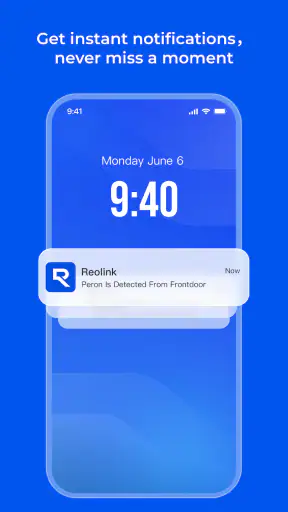
People with hearing loss may prefer visual checking over relying on an audible alert or spoken explanation from another person. Likewise, someone with limited vision may need a trusted helper to describe a feed, or may benefit from a larger screen and better room lighting. I would not treat the app as a substitute for a doorbell, intercom, or personal support arrangement. Remote video is useful evidence and reassurance, but it does not automatically provide an accessible conversation with a visitor.
For users with sensory sensitivities, the most comfortable setup may be one that avoids constant checking. Security monitoring can become stressful when every movement feels urgent. I would use a planned schedule for routine viewing and reserve closer inspection for a genuine reason. The app works best as a tool for answering a question—“Is the driveway clear?” or “Did the delivery arrive?”—rather than as a reason to stare at a feed continuously.
Night viewing deserves special attention. A camera image can look very different after sunset, and a person may mistake glare, infrared illumination, shadows, or an indistinct shape for a clear event. If a user has difficulty distinguishing contrast, I would test the night scene from the same position and screen they will use later. The result may show that the camera needs repositioning or additional lighting, not that the app is failing.
Another practical trade-off concerns privacy and shared access. A household may want several people to check the same camera, but each additional user needs clear boundaries about who is watching and when. I would agree on a simple responsibility plan: one person checks routine events, another handles urgent calls, and everyone knows which camera is relevant. That reduces duplicated effort and helps a person who cannot comfortably navigate the whole system.
Using it away from home
The main situational strength is remote access. I can imagine using it while commuting, traveling, or waiting in a clinic to check whether a gate is closed or whether activity is visible near an entrance. This is more useful than a local monitor when the person responsible for the property is not physically present. It can also help a family member provide reassurance from another room or another location.
However, remote viewing should not be confused with guaranteed availability. A phone may have weak connectivity, the camera may be offline, or the recorder may be unreachable. When the situation matters, I would avoid making a single successful connection the only safety plan. A neighbor, building manager, or other agreed contact may still be necessary, especially for someone who lives alone or cannot physically respond.
Travel introduces another layer of difficulty. A user who is already dealing with unfamiliar networks, a different time zone, or limited battery may not want a complicated troubleshooting task. I would test the app before leaving, keep the device charged, and make sure the person using it knows the difference between an unavailable feed and a feed that simply shows no activity. That distinction prevents unnecessary panic.
The app is especially appropriate for a Reolink-centered setup. If your cameras, recorder, and viewing habits already belong to another brand, switching only for a phone interface may create more work than it solves. A platform that unifies equipment you already own is often easier than maintaining separate apps. Reolink users, by contrast, gain a single place to reach their compatible security devices instead of relying on a generic viewer that may not understand the full system.
Where the experience still creates barriers
The biggest limitation is that the app cannot make every Reolink installation feel identical. Different cameras and recorders can produce different practical experiences, and the quality of remote viewing depends on the whole chain between the device and the phone. A person expecting the same smooth behavior from every model may be disappointed. Before recommending it to someone who needs dependable access, I would test the exact equipment they will use.
Another barrier is the amount of responsibility placed on the user. Remote camera software is not completely “set and forget.” Someone must understand which camera covers which area, recognize an unhelpful angle, notice when a feed is stale or unavailable, and decide what action is appropriate. That is manageable for a technically confident owner, but it may be too much for a person who needs a very simple, assisted experience.
The rating of 3.5 suggests a middle-ground experience rather than one that works perfectly for everyone. I would not read that figure as a reason to avoid the app, but I would take it as a reminder to test the workflow before depending on it. Camera apps are unusually sensitive to individual hardware combinations, network conditions, and expectations. A feature that feels adequate for a quick glance may feel insufficient for someone monitoring several areas throughout the day.
There is also a risk of confusing convenience with accessibility. Being able to view a camera from anywhere is helpful, but accessibility includes the entire task: opening the app, identifying the right device, seeing enough detail, handling the phone, deciding what the image means, and communicating the result. If any one of those steps is too difficult, a second person or a different viewing arrangement may be needed.
Users who want a broad smart-home hub may find the focused design limiting. The app is about Reolink security equipment, not about replacing every connected-home application. Someone looking for one dashboard across cameras from several manufacturers may prefer a compatible multi-brand solution, accepting that it may offer less direct integration with a particular camera system. That is a genuine choice between breadth and brand-specific control.
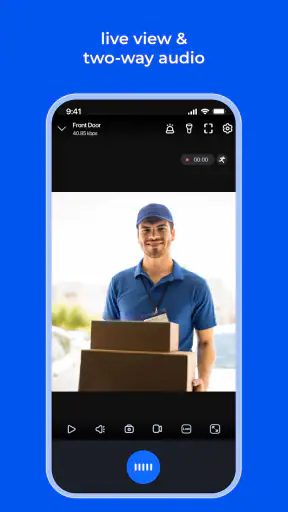
I would also skip it as a primary solution if the real need is two-way support for a person at the door, constant professional monitoring, or a guaranteed emergency response. A remote camera view can inform a decision, but it does not perform those services. In those cases, a video intercom, care system, or monitored security service may be a better fit alongside—or instead of—the app.
My inclusive verdict for Reolink users
After using it as a remote viewing tool, I see Reolink as a sensible choice for people who already own compatible Reolink cameras, NVRs, or DVRs and need a direct way to check them from a mobile device. Its free price removes one obvious barrier, and the focused purpose makes it easier to explain than a crowded smart-home platform. The current version is 4.61.0.3.20260721, and it supports Android from version 8.0 onward.
Its strongest inclusive quality is not a special promise of accessibility; it is the ability to fit into different routines. A homeowner can use it for a quick front-door check, a family member can inspect a property from elsewhere, and a caregiver or neighbor can follow a prepared set of instructions. Those benefits become much stronger when the cameras are clearly named, the important views are tested at night, and the user has a larger or steadier screen when needed.
My recommendation comes with conditions. Set up the system around the person who will actually use it, not only around the person who installed it. Ask that user to find a camera, understand the image, and complete the task without rushing. If the process requires too many tiny taps or the feed is difficult to interpret, change the device position, room lighting, camera angle, or support arrangement before assuming the software alone can solve the problem.
For a Reolink household wanting straightforward remote access, I would recommend trying it. For a mixed-brand home, someone who needs a highly simplified assisted interface, or anyone expecting professional emergency coverage, I would compare alternatives first. The app is useful, established, and practical, but its real success depends on the equipment around it and on whether the person viewing the feed can comfortably turn an image into a clear decision.
In the end, I would describe it as a capable communication app for seeing what Reolink security devices see, rather than a complete safety system by itself. With thoughtful labeling, realistic expectations, and a viewing setup adapted to individual abilities, it can make remote checks much easier. Without that preparation, the same convenience may become another small technical obstacle at exactly the moment the user needs clarity.


